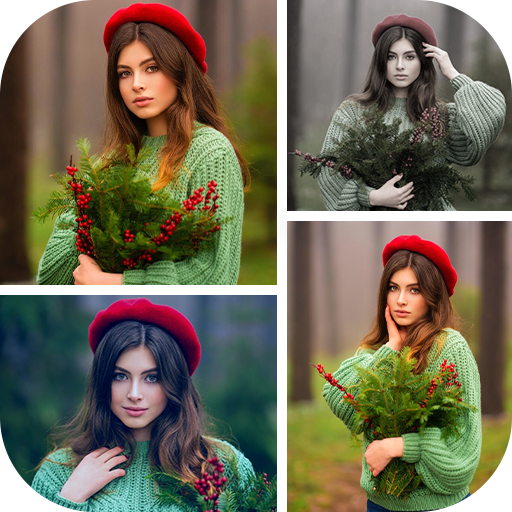
PicMix - Photo Collage Maker
1.17by FotoBox Video Inc.
December 3 , 2025
PicMix - Photo Collage Maker is a versatile mobile application designed for creating personalized photo collages. It provides users with a comprehensive suite of editing tools to combine multiple images into a single, artistic composition. Whether for social media, personalized gifts, or preserving memories, PicMix - Photo Collage Maker offers both structured grid layouts and free-form editing. Users select this app for its extensive customization options, which include applying filters, adding text and stickers, and choosing unique backgrounds, making professional-grade collage creation accessible to everyone.
Crafting Grid-Style Collage Layouts
The grid-style function in PicMix - Photo Collage Maker allows users to arrange photos in predefined patterns. A user starts by selecting the grid layout, such as a 2x2 or 3x3 pattern, from the app’s menu. They then tap each grid cell to choose a specific photo from their device's gallery. After placing all images, they can double-tap on any individual photo to apply a unique filter or effect, ensuring each part of the collage has a distinct look. The final collage is generated with a clean, organized structure, ready for further customization or sharing. This workflow is ideal for creating symmetrical and orderly photo collections.

Designing with Free-Form Editing
For a more creative approach, PicMix - Photo Collage Maker offers a free-form editing mode. Users begin by selecting multiple images from their gallery, which are then placed onto a blank canvas. They can pinch, zoom, and rotate each photo, manually arranging them into any desired position without the constraints of a grid. This process allows for overlapping images and crafting a dynamic, scrapbook-style layout. Once the arrangement is finalized, the user can proceed to add unifying elements like a shared frame or background, making this feature perfect for crafting personalized and organic-looking photo albums.

Applying Filters and Photo Effects
Enhancing individual photos within a collage is a core function of PicMix - Photo Collage Maker. After images are placed in either a grid or free-form layout, users can select any photo to reveal an editing menu. This menu provides a wide array of filters and effects, ranging from vintage tones to vibrant color boosts. The user simply scrolls through the options, previews each effect in real-time, and taps to apply it. This allows for nuanced control over the mood and style of each component image, ensuring the final collage has a cohesive and polished aesthetic.

Adding Decorative Stickers and Text
Personalization extends to decorative elements in PicMix - Photo Collage Maker. Users can embellish their creations by accessing the stickers and text menus. The app includes a library of over 400 stickers categorized by themes like love, holidays, and birthdays. To use them, a user taps the sticker icon, selects a category, and then taps the chosen graphic to place it on the collage. They can resize and position it as needed. Similarly, the text tool lets users type custom messages, choose from various fonts, and adjust color. These features add a layer of narrative and celebration to any project.
Customizing Backgrounds and Borders
The final aesthetic touches in PicMix - Photo Collage Maker come from customizing the collage's backdrop and edges. Users access the background menu to choose from a vast collection of textures, patterns, and solid colors to place behind their photos. They can also select a border style from the app’s options, configuring its color and width to frame the entire composition. These actions are performed after the photos are arranged but before saving. This workflow ensures the collage has a finished, professional look that ties all the visual elements together seamlessly.
Saving and Sharing Finished Creations
Once a collage is complete, PicMix - Photo Collage Maker simplifies the export process. The user taps the save button, and the app automatically stores the high-resolution image in a dedicated “Photo Mixer” folder within the device's gallery, keeping all projects organized. From there, a direct share function provides one-tap options to post the creation to various social media platforms or send it via messaging apps. This seamless integration from creation to distribution makes PicMix - Photo Collage Maker an efficient tool for quickly sharing memories with friends and family.
Key Features
Create collages with multiple grid layouts or free-form editing.
Apply individual filters and effects to each photo in a collage.
Access a vast library of 400+ thematic stickers for decoration.
Add custom text with a variety of font and color choices.
Choose from numerous backgrounds and customizable borders.
Save projects to a dedicated folder and share directly to social platforms.

| Version 1.17 | Size 27.17MB |
| Language en | Rating 9.0 |
| Package name jsnew.photomixer | Developer FotoBox Video Inc. |